
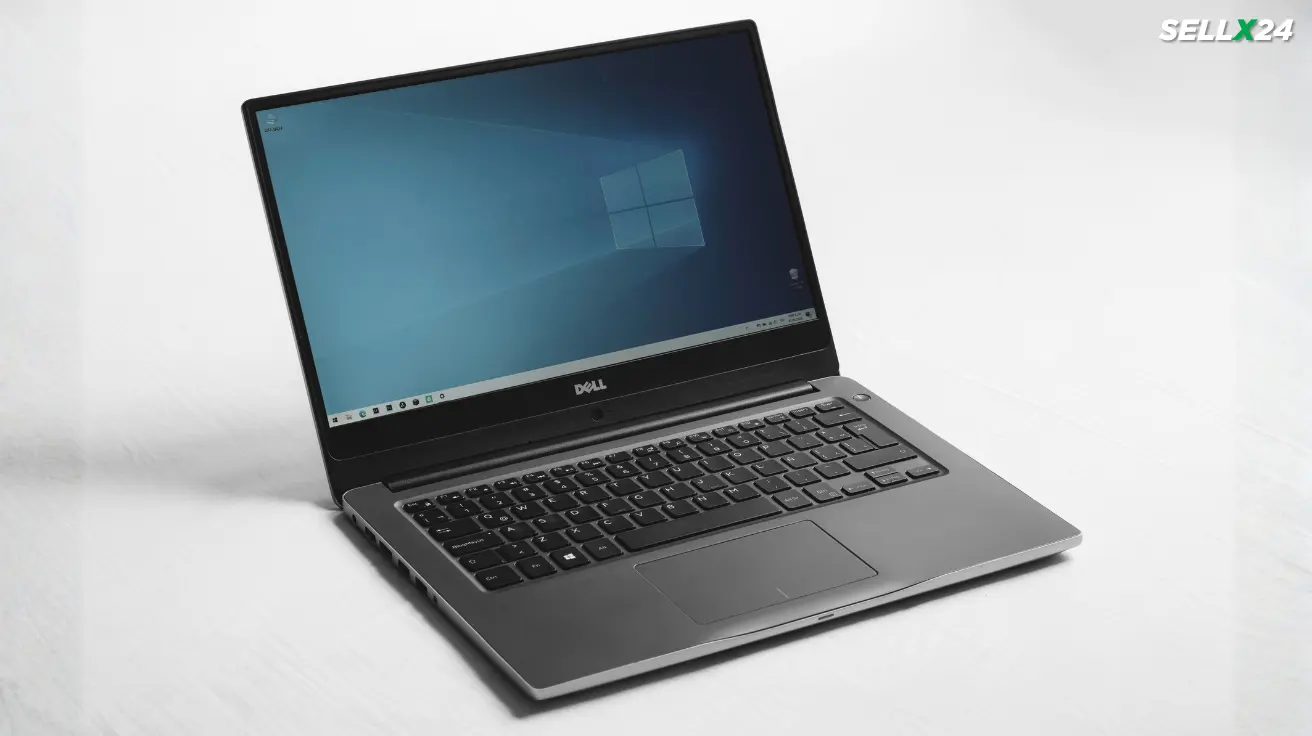
Buying a laptop as a student in India is rarely simple. Budgets are tight. Requirements vary wildly. And the market is full of confusing options that look good on paper but disappoint in real life. This is where a used laptop makes sense. Not as a compromise, but as a smart decision when done right.
Here’s the thing. A well chosen used laptop can outperform a brand new budget laptop, last longer, and save you thousands of rupees. But only if you know what to look for and what to avoid. Let’s break it down clearly.
Why a Used Laptop Makes Sense for Students
Students usually need a laptop for studying, online classes, assignments, coding, design work, or light gaming. None of these require the latest processor or flashy features. What they need is reliability, decent performance, and good battery life.
A used laptop offers three big advantages.
First, value for money. A laptop that cost ₹70,000 two or three years ago can often be bought for ₹30,000 to ₹40,000 today.
Second, better build quality. Business class laptops from brands like Lenovo, Dell, and HP are built to last. Even after years of use, they often outperform new entry level models.
Third, upgrade potential. Many older laptops allow RAM and SSD upgrades, something new budget laptops increasingly do not.
What this really means is that students get more usable performance per rupee.
New Budget Laptop vs Used Laptop
A new laptop under ₹40,000 usually comes with entry level processors, limited RAM, slow storage, and average displays. They work, but just barely.
A used laptop in the same price range can offer a faster processor, more RAM, an SSD, better keyboard quality, and stronger durability.
The trade off is cosmetic wear and a shorter remaining lifespan. But for most students, that trade off is worth it.
If your priority is performance and longevity rather than unboxing satisfaction, a used laptop wins more often than not.
Minimum Specifications Students Should Look For
Before looking at brands or deals, you need a baseline. Anything below this is not worth your money in 2026.
Processor
Aim for at least an Intel Core i5 8th generation or newer. On the AMD side, Ryzen 5 3500U or newer is a good starting point.
Avoid Intel Core i3 older than 8th gen and AMD A series processors. They struggle with modern software.
RAM
8 GB RAM should be your minimum. 16 GB is ideal if you plan to code, edit photos, or multitask heavily.
If the laptop has 8 GB but supports upgrades, that’s fine.
Storage
SSD is non negotiable. A used laptop with HDD alone will feel painfully slow. 256 GB SSD is workable. 512 GB is better.
Display
Full HD resolution matters more than people think. Avoid 1366x768 displays if possible. They feel cramped and outdated.
Battery
Expect reduced battery life in a used laptop. Look for models where battery replacement is possible and affordable.
Best Types of Used Laptops for Students
Not all used laptops are equal. Some categories consistently deliver better results.
Business Laptops
These are the safest choice.
Examples include Lenovo ThinkPad series, Dell Latitude series, and HP EliteBook or ProBook.
They offer solid keyboards, excellent durability, good thermal performance, and long term reliability.
Refurbished Corporate Laptops
Many Indian sellers resell laptops retired from corporate offices. These are often well maintained and lightly used.
They may look boring, but they are dependable.
Student Avoid List
Avoid used gaming laptops unless you really need a GPU. They tend to have worn batteries, heat issues, and higher failure rates.
Avoid consumer models with poor hinges or glossy plastic builds.
Where to Buy Used Laptops in India
Buying from the right place matters as much as the laptop itself.
Refurbished Marketplaces
Certified refurbished platforms usually test devices, replace faulty parts, and offer limited warranties.
Prices are slightly higher, but risk is lower.
Local Laptop Dealers
Many cities have reliable used laptop dealers. The advantage is physical inspection and negotiation.
Always ask about warranty, battery health, and return policy.
Online Classifieds
These can offer the best deals but also the highest risk.
If buying from an individual seller, meet in person, test thoroughly, and never pay in advance.
How to Inspect a Used Laptop Properly
This step separates smart buyers from regretful ones.
Physical Condition
Check hinges for looseness. Open and close the lid several times. Look for cracks, bulges, or bent corners.
Minor scratches are fine. Structural damage is not.
Keyboard and Trackpad
Type every key. Test the trackpad gestures. Keyboard replacement can be costly for some models.
Display
Look for dead pixels, discoloration, or uneven brightness. White and black screens help reveal issues.
Ports and Connectivity
Test USB ports, HDMI, headphone jack, Wi Fi, Bluetooth, webcam, and speakers.
Battery Health
Ask for battery wear percentage if possible. A battery with less than 70 percent health may need replacement soon.
Software and Licensing Checks
Always check software legality and system integrity.
Ensure the laptop has a genuine Windows license. Avoid machines running cracked software.
Check if the laptop is logged out of any corporate accounts or device management systems.
Reset the system fully before use. A clean installation avoids hidden issues.
Common Traps Students Should Avoid
Cheap deals often hide expensive problems.
If a price feels unrealistically low, there is usually a reason.
Avoid laptops with motherboard repairs unless done professionally with warranty.
Avoid machines with no return policy.
Avoid sellers who rush you or refuse testing.
What this really means is simple. Patience saves money.
Upgrades That Make a Used Laptop Feel New
One of the biggest advantages of a used laptop is upgrade flexibility.
Upgrading RAM from 8 GB to 16 GB can dramatically improve performance.
Replacing a slow SSD with a faster NVMe drive improves boot times and responsiveness.
A new battery can extend usable life by years.
These upgrades cost far less than buying a new laptop and often deliver better real world results.
Who Should Not Buy a Used Laptop
Used laptops are not for everyone.
If you need guaranteed long battery life for travel, a used laptop may disappoint.
If you require heavy GPU performance for gaming or 3D work, used budget laptops may struggle.
If you are uncomfortable troubleshooting minor issues, a new laptop with full warranty might suit you better.
Knowing this upfront prevents frustration.
Also Read: Used Smartphones in India: Things to Check Before Buying
Final Thoughts
A used laptop is not a downgrade. For students in India, it is often the smartest option available.
When chosen carefully, it delivers better performance, stronger build quality, and more value than many new budget laptops. The key is knowing your requirements, setting realistic expectations, and inspecting before buying.
Think of it this way. You are not buying something old. You are buying something proven.
Take your time. Ask the right questions. Spend where it matters.
Do that, and your used laptop will serve you well through exams, assignments, and long nights of work without draining your bank account.